Calls at a glance.
On your Mac.
Dial!List shows calls on Mac, connects them with contacts and provides access to FRITZ!Box call history.
For Mac and FRITZ!Box
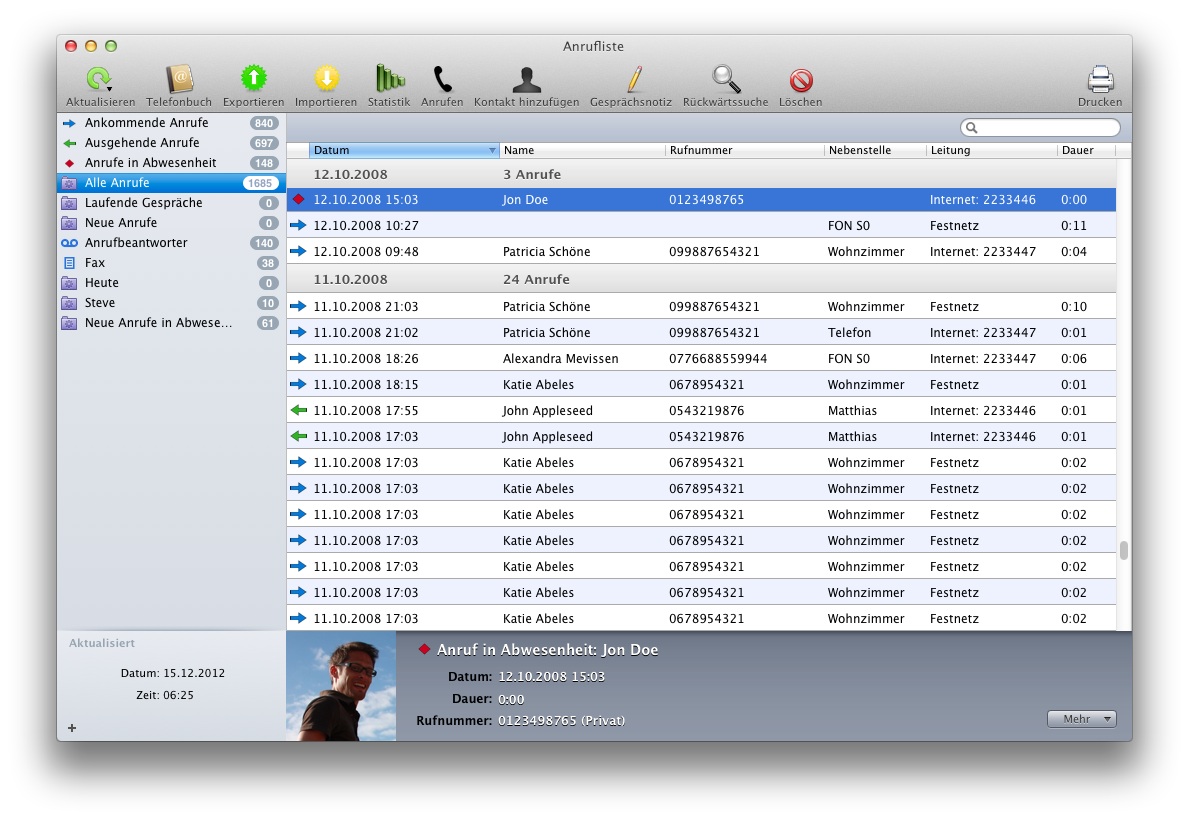
FRITZ!Box call history, enriched with contacts and details.
AT A GLANCE
The essential steps.
See who's calling
See incoming and outgoing calls with contact details.
Dial from Mac
Find contacts and start calls right from your Mac.
Use your history
Search, annotate, export or return calls from your history.
CALL MONITOR
Calls at a glance.
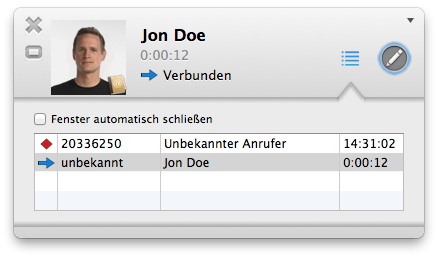
The call monitor shows the number, name, contact picture and other call details, including missed calls.
DIAL DIALOG
Dial from Mac.
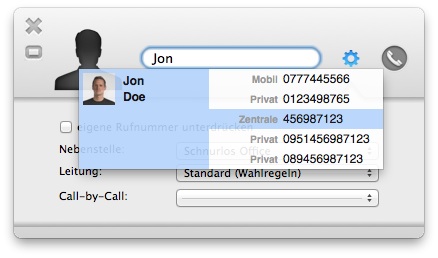
Find contacts in the address book and start calls on Mac. Call history can be searched and exported.
FEATURES
More than call history.
Dial!List brings calls, contacts and FRITZ!Box tools together.
Identify callers
Contact details, pictures and reverse lookup add context to displayed phone numbers.
Organize call history
Search, filter and sort calls, create smart lists and add call notes.
Use your data
Print call history or export it as CSV, and save unknown numbers as contacts.
Dial from Mac
Search contacts, paste a number and choose the outgoing line.
Keep an eye on FRITZ!Box
Multiple FRITZ!Box profiles, remote connections and call statistics extend the overview.
Fits your workflow
Access from the menu bar, with AppleScript actions and extensions for other apps.
TRAFFIC MONITOR
FRITZ!Box network traffic.
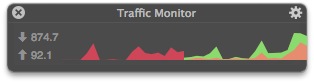
The traffic monitor shows incoming and outgoing data rates for the FRITZ!Box, either in a window or in the menu bar.
BEFORE INSTALLING
Frequently asked questions.
Dial!List for Mac

MORE SOFTWARE
Faxbot for faxing.
Send documents through a FRITZ!Box from Mac.