Faxing.
From your Mac.
Send PDF, PNG and JPEG documents through a FRITZ!Box. Faxbot fits faxing into familiar Mac workflows.
For Mac and FRITZ!Box
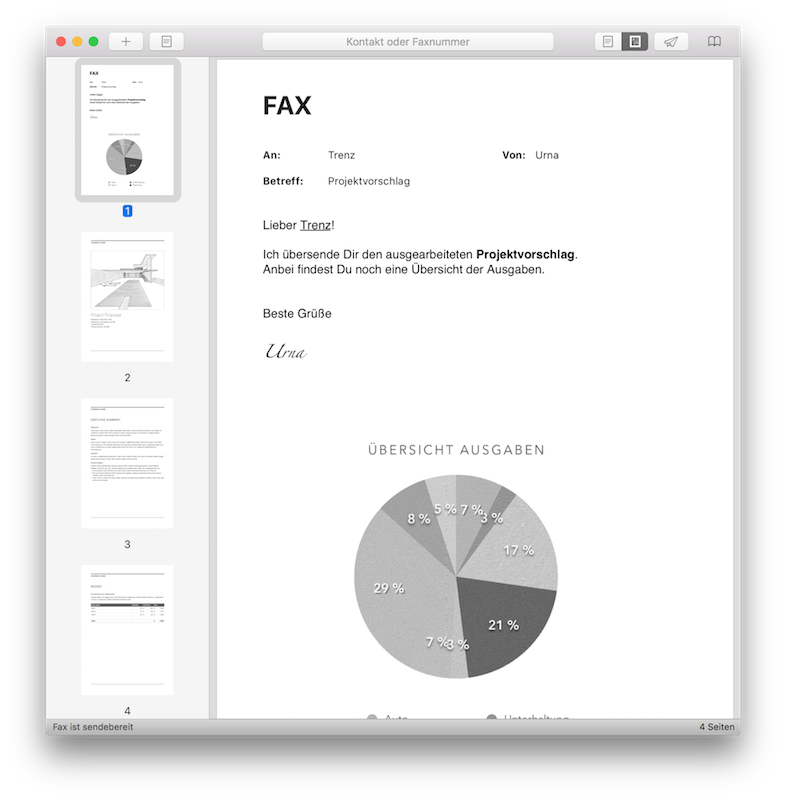
Documents, cover sheets and transmission reports in one place.
AT A GLANCE
The essential steps.
Open a document
Open a PDF, PNG or JPEG in Faxbot, or drop it on the app icon.
Prepare the fax
Choose a recipient, add a cover sheet and review the contents.
Send and document
Send via your FRITZ!Box and retain the transmission report.
PRINT DIALOG
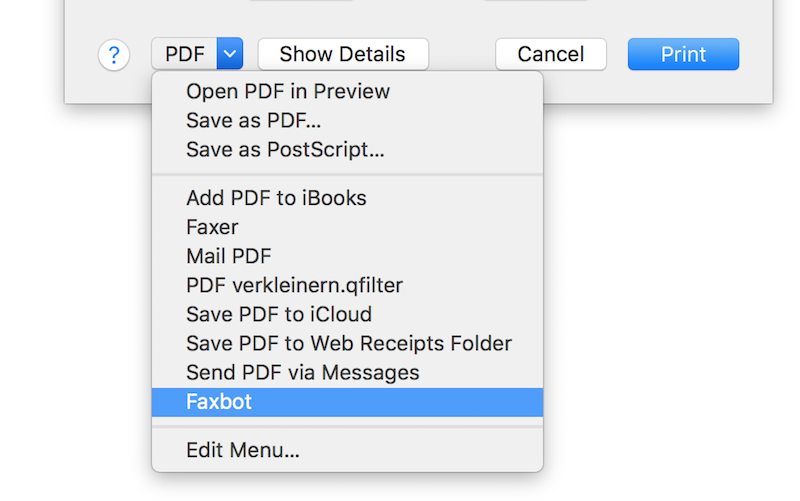
Send from the print dialog.
In apps with a print dialog, choose “PDF → Faxbot” to pass a document directly to Faxbot.
COVER SHEETS
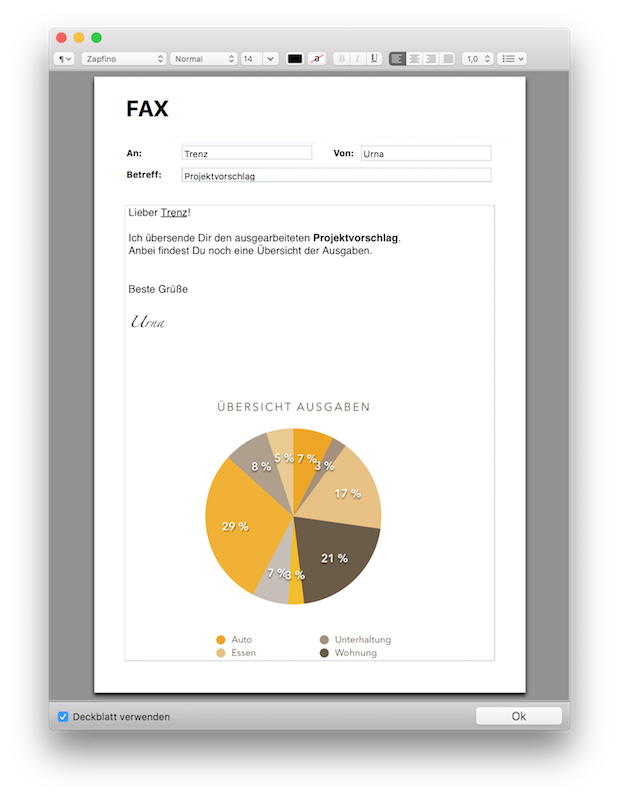
Create cover sheets.
Faxbot creates messages and cover sheets with formatted text and graphics, then pairs them with a document.
FEATURES
More ways to use Faxbot.
From a single fax to repeatable workflows.
Add documents
Add PDF, PNG and JPEG files with the Open dialog, the Dock icon or directly in the Faxbot window.
Automate workflows
AppleScript can pass documents and an optional fax number to Faxbot and start sending.
Keep a record
A transmission report is kept together with each sent document.
Choose transmission quality
Choose a transmission mode to suit text documents or pages with graphics.
BEFORE INSTALLING
Frequently asked questions.
Faxbot for Mac

MORE SOFTWARE
Dial!List for call management.
Manage calls and FRITZ!Box call history directly on Mac.